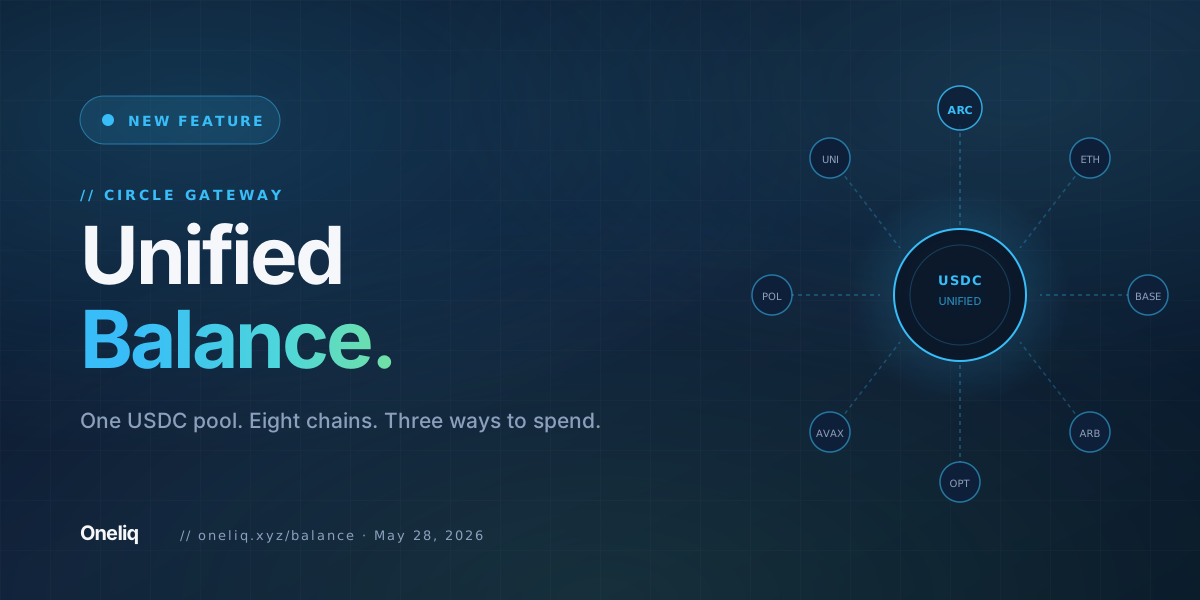
Balance is Oneliq's interface to Circle's Unified Balance. Deposit USDC from any supported testnet and it enters a single, chain-agnostic pool backed by Circle Gateway. From that point forward, the USDC does not live on a specific chain. It lives in the pool. When you spend, you pick a destination and an amount. The routing is handled for you, or you configure it yourself.
What is Unified Balance
Circle Gateway is an escrow contract deployed across multiple chains. When you deposit USDC into Unified Balance, the token is held in Gateway's escrow on the source chain. In exchange, your Unified Balance increases by that amount. The balance itself is chain-agnostic: it does not exist on Arc, or on Base, or on Arbitrum. It exists as an accounting entry in Circle's system, redeemable on any chain where Gateway is deployed.
This design eliminates the fragmentation problem that arises when the same asset exists in separate wallets on separate chains. Instead of managing eight wallet balances across eight networks, you manage one number. The physical USDC sits in Gateway's escrow wherever you deposited it. The spend operation instructs Gateway to release the appropriate amount on your chosen destination chain.
Oneliq's Balance page surfaces three deposit operations and three spend modes. The underlying mechanism in each case is the same Circle Gateway contract. What differs is how the source funds are selected when you initiate a spend.
Supported chains
Unified Balance on Oneliq is connected to eight testnets. Deposits from any of these networks enter the same pool.
| Network | Chain ID |
|---|---|
| Arc Testnet | 5042002 |
| Avalanche Fuji | 43113 |
| Base Sepolia | 84532 |
| Ethereum Sepolia | 11155111 |
| Optimism Sepolia | 11155420 |
| Arbitrum Sepolia | 421614 |
| Polygon Amoy | 80002 |
| Unichain Sepolia | 1301 |
USDC deposited from any of these networks is treated as fungible within the pool. A balance built by depositing on Avalanche Fuji can be spent to a recipient on Arc Testnet. The chains are interchangeable from the pool's perspective.
Three ways to spend
When you initiate a spend from Unified Balance, you choose how the source funds are allocated. Oneliq offers three modes.
Circle Gateway picks the source chains automatically. It routes from wherever you hold the most USDC, minimizing the number of chains involved. No configuration needed.
You select exactly one source chain. The full spend amount is drawn from that chain's escrow. Use this when you know which chain to drain first.
You specify an amount from each chain individually. The spend is assembled from your custom allocation across multiple sources. Full control over how Gateway settles each leg.
All three modes deliver USDC to the same destination: the recipient address on the chain you specify. The difference is upstream only. The recipient receives a standard USDC transfer regardless of which spend mode was used.
Walkthrough: spending 12 USDC to Arc Testnet
Starting state: 10 USDC deposited from Ethereum Sepolia, 5 USDC deposited from Base Sepolia. Total Unified Balance: 15 USDC. Goal: send 12 USDC to a wallet on Arc Testnet using Auto mode.
BurnIntentSet and signed once — no popup-per-chain.Depositing USDC
The deposit flow on Oneliq's Balance page follows a consistent pattern. Connect a wallet, switch to the network you want to deposit from, enter an amount, and confirm the transaction. The Gateway escrow contract holds the USDC on that source chain and your Unified Balance increases.
There is no minimum deposit. There is no lock-up period. USDC deposited into Unified Balance can be spent immediately after the deposit transaction confirms.
Oneliq shows your balance across all connected chains in a single view. You can see how much USDC you hold in Unified Balance total, and how much is held in Gateway's escrow on each individual chain. This breakdown matters when you use Single or Manual spend modes, since those modes draw from specific chain allocations.
How spending settles
A spend from Unified Balance instructs Circle Gateway to release USDC from the escrow on one or more source chains and deliver it to the recipient address on the destination chain. The cross-chain transfer uses the same burn-and-mint mechanism that CCTP V2 uses. Circle's attestation service verifies the burn, then the mint is executed on the destination chain.
The recipient does not need a Unified Balance account. They receive a standard USDC transfer to their wallet address. Unified Balance is a sender-side construct. The recipient side is an ordinary on-chain transfer.
Settlement time depends on the chains involved. For Arc Testnet as a source or destination, Circle's attestation service processes the cross-chain message as it does for any CCTP V2 transfer on Arc.
Why this matters on Arc
Arc Testnet uses USDC as its native gas token. Every transaction on the network settles fees in USDC. This means your Unified Balance is directly connected to the gas economics of Arc. USDC in Gateway escrow on Arc can cover transaction costs, and USDC arriving from other chains via a Gateway spend lands on Arc ready to pay gas immediately.
For protocols building on Arc, Unified Balance provides a programmable way to fund wallets across all eight supported chains from a single USDC position. The Circle App Kit exposes deposit, spend, and balance query as SDK calls. Oneliq's Balance page is built on top of that same kit.
One pool. Eight chains. Three spend modes.
Unified Balance is live on Oneliq. Deposit USDC from any supported testnet and spend to any destination.
Open Balance Try TradeOneliq is a non-custodial frontend currently on testnet networks. Unified Balance is powered by Circle Gateway. Nothing here is real money or financial advice. We don't custody funds; you always retain control of your wallet.